Playtime Leaderboard
Nội dung này hiện chưa có sẵn bằng ngôn ngữ của bạn.
This will guide you on how to create an unreliable playtime leaderboard for your server using the built-in
Statistic Value Provider and format the value using
Value Display.
Add the Holder
Section titled “Add the Holder”Open the config.yml file and add the following holder:
holders: playtime: type: statistic statistic: PLAY_ONE_MINUTE # Or PLAY_ONE_TICK if your server is running on 1.12 or belowOpen the config.json file and add the following holder:
{ "holders": { "playtime": { "type": "statistic", "statistic": "minecraft:play_time" } }}This will create a holder named playtime that shows the total playtime of a player in ticks.
But the value is in ticks, which is not human-readable. So, we need to format it. Add the following line:
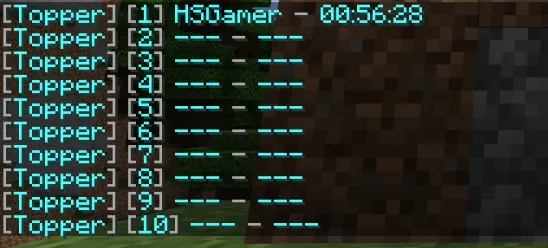
holders: playtime: type: statistic statistic: PLAY_ONE_MINUTE line: "&7[&b{index}&7] &b{name} &7- &b{value_time:pattern=HH:mm:ss&type=duration&unit=ticks}"{ "holders": { "playtime": { "type": "statistic", "statistic": "minecraft:play_time", "line": "<gray>[<blue>{index}<gray>] <blue>{name} <gray>- <blue>{value_time:pattern=HH:mm:ss&type=duration&unit=ticks}" } }}We added the line setting to the holder and override the default line. The
{value_time:pattern=HH:mm:ss&type=duration&unit=ticks} will format the value to a human-readable time format.
Now when you save and restart the server, you should see the playtime leaderboard in the /gettop playtime command.
Display the Leaderboard
Section titled “Display the Leaderboard”We will display it in a hologram
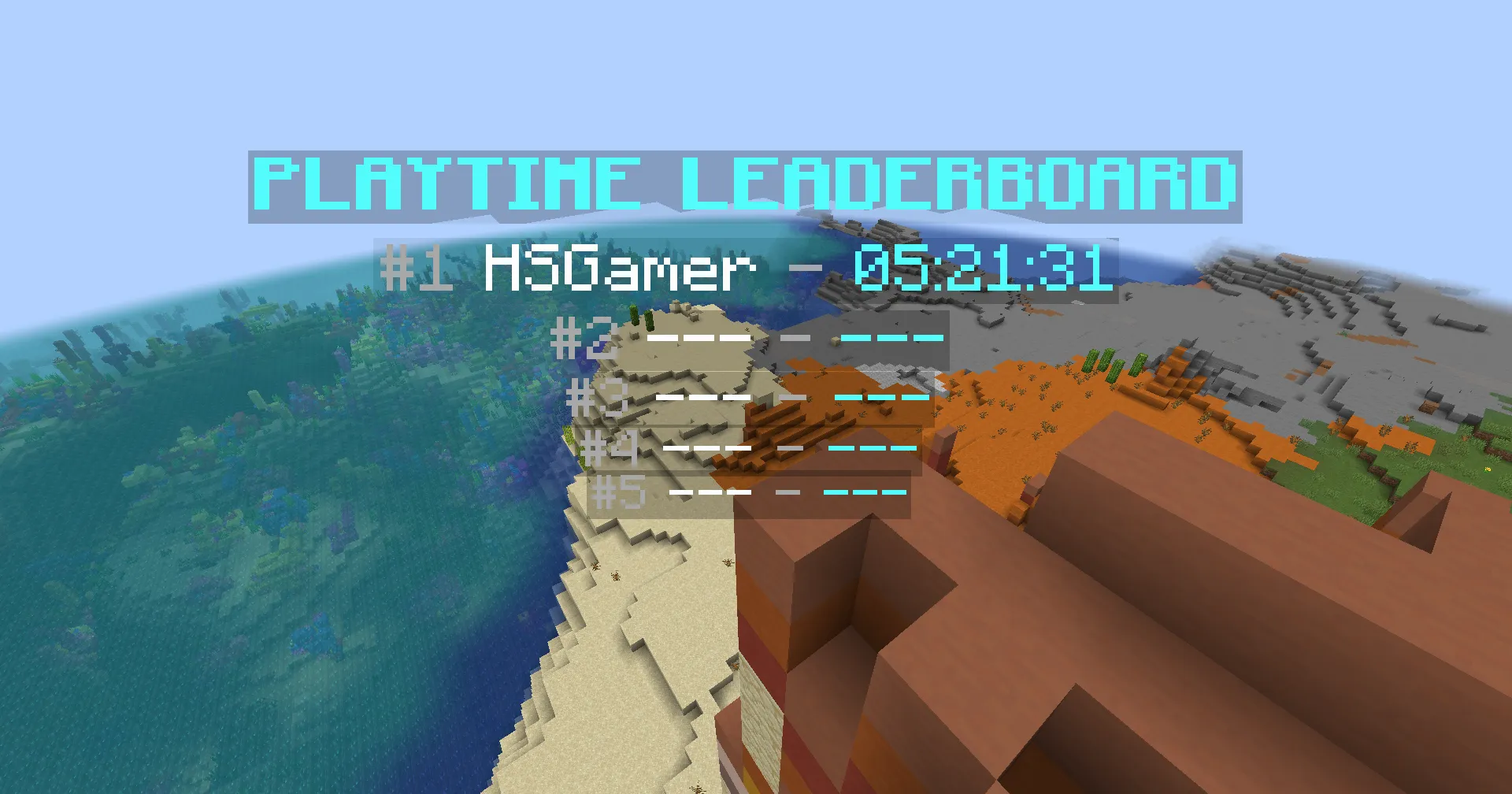
Here is an example of a hologram that displays the top 5 players in the leaderboard:
&b&lPLAYTIME LEADERBOARD&7#1 &f%topper_playtime;top_name;1% &7- &b%topper_playtime;top_value;1;time:pattern=HH:mm:ss&type=duration&unit=ticks%&7#2 &f%topper_playtime;top_name;2% &7- &b%topper_playtime;top_value;2;time:pattern=HH:mm:ss&type=duration&unit=ticks%&7#3 &f%topper_playtime;top_name;3% &7- &b%topper_playtime;top_value;3;time:pattern=HH:mm:ss&type=duration&unit=ticks%&7#4 &f%topper_playtime;top_name;4% &7- &b%topper_playtime;top_value;4;time:pattern=HH:mm:ss&type=duration&unit=ticks%&7#5 &f%topper_playtime;top_name;5% &7- &b%topper_playtime;top_value;5;time:pattern=HH:mm:ss&type=duration&unit=ticks%<aqua><bold>PLAYTIME LEADERBOARD<gray>#1 <white>%topper:query playtime;top_name;1% <gray>- <aqua>%topper:query playtime;top_value;1;time:pattern=HH:mm:ss&type=duration&unit=ticks%<gray>#2 <white>%topper:query playtime;top_name;2% <gray>- <aqua>%topper:query playtime;top_value;2;time:pattern=HH:mm:ss&type=duration&unit=ticks%<gray>#3 <white>%topper:query playtime;top_name;3% <gray>- <aqua>%topper:query playtime;top_value;3;time:pattern=HH:mm:ss&type=duration&unit=ticks%<gray>#4 <white>%topper:query playtime;top_name;4% <gray>- <aqua>%topper:query playtime;top_value;4;time:pattern=HH:mm:ss&type=duration&unit=ticks%<gray>#5 <white>%topper:query playtime;top_name;5% <gray>- <aqua>%topper:query playtime;top_value;5;time:pattern=HH:mm:ss&type=duration&unit=ticks%