Playtime Leaderboard
This will guide you on how to create an unreliable playtime leaderboard for your server using the built-in
Statistic Value Provider and format the value using
Value Display.
Add the Holder
Section titled “Add the Holder”Open the config.yml file and add the following holder:
holders: playtime: type: statistic statistic: PLAY_ONE_MINUTE # Or PLAY_ONE_TICK if your server is running on 1.12 or belowOpen the config.json file and add the following holder:
{ "holders": { "playtime": { "type": "statistic", "statistic": "minecraft:play_time" } }}This will create a holder named playtime that shows the total playtime of a player in ticks.
But the value is in ticks, which is not human-readable. So, we need to format it. Add the following line:
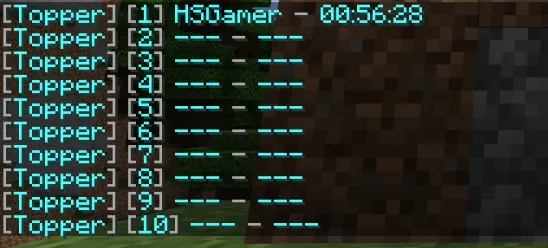
holders: playtime: type: statistic statistic: PLAY_ONE_MINUTE line: "&7[&b{index}&7] &b{name} &7- &b{value_time:pattern=HH:mm:ss&type=duration&unit=ticks}"{ "holders": { "playtime": { "type": "statistic", "statistic": "minecraft:play_time", "line": "<gray>[<blue>{index}<gray>] <blue>{name} <gray>- <blue>{value_time:pattern=HH:mm:ss&type=duration&unit=ticks}" } }}We added the line setting to the holder and override the default line. The
{value_time:pattern=HH:mm:ss&type=duration&unit=ticks} will format the value to a human-readable time format.
Now when you save and restart the server, you should see the playtime leaderboard in the /gettop playtime command.
Display the Leaderboard
Section titled “Display the Leaderboard”We will display it in a hologram
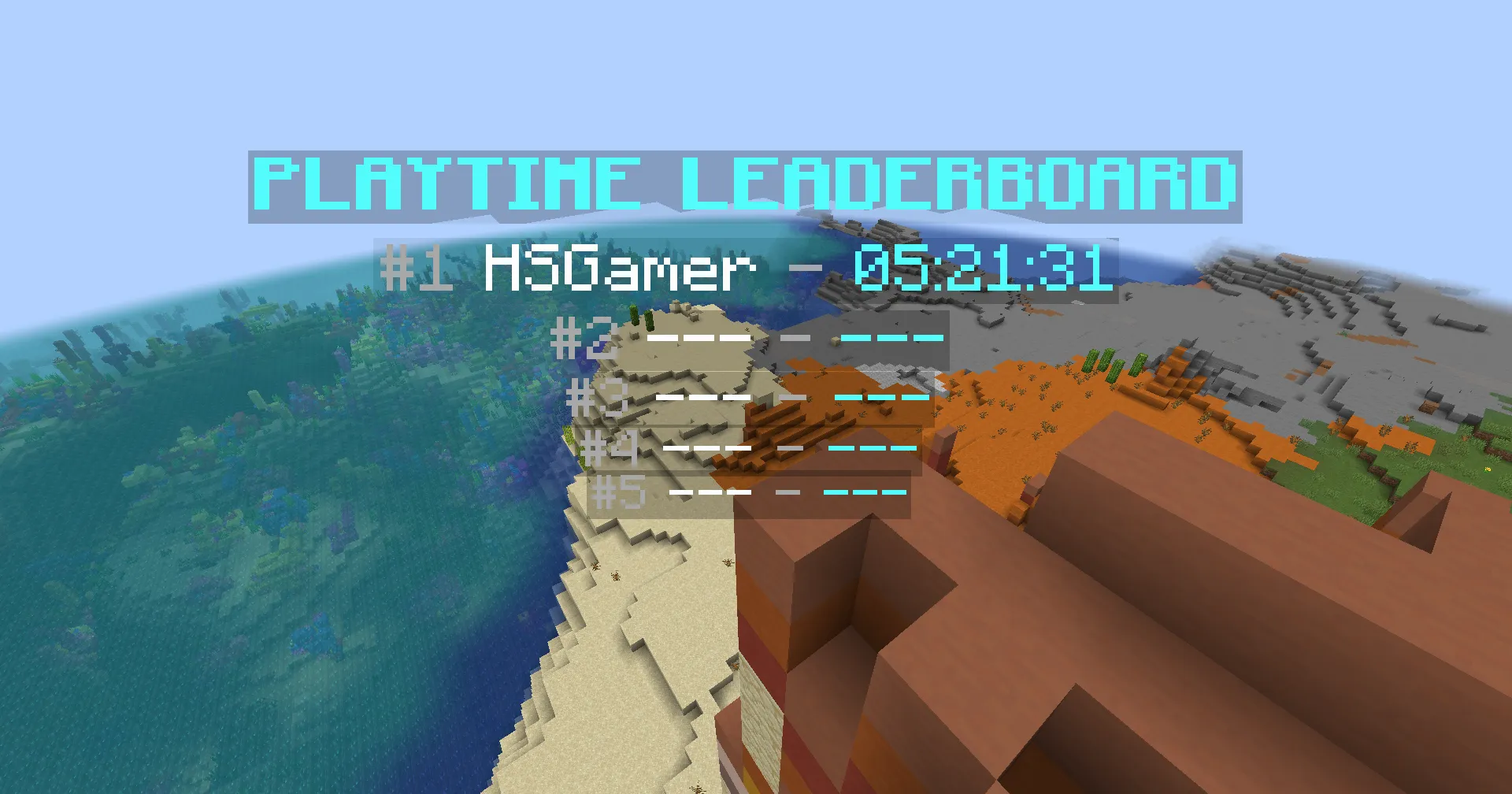
Here is an example of a hologram that displays the top 5 players in the leaderboard:
&b&lPLAYTIME LEADERBOARD&7#1 &f%topper_playtime;top_name;1% &7- &b%topper_playtime;top_value;1;time:pattern=HH:mm:ss&type=duration&unit=ticks%&7#2 &f%topper_playtime;top_name;2% &7- &b%topper_playtime;top_value;2;time:pattern=HH:mm:ss&type=duration&unit=ticks%&7#3 &f%topper_playtime;top_name;3% &7- &b%topper_playtime;top_value;3;time:pattern=HH:mm:ss&type=duration&unit=ticks%&7#4 &f%topper_playtime;top_name;4% &7- &b%topper_playtime;top_value;4;time:pattern=HH:mm:ss&type=duration&unit=ticks%&7#5 &f%topper_playtime;top_name;5% &7- &b%topper_playtime;top_value;5;time:pattern=HH:mm:ss&type=duration&unit=ticks%<aqua><bold>PLAYTIME LEADERBOARD<gray>#1 <white>%topper:query playtime;top_name;1% <gray>- <aqua>%topper:query playtime;top_value;1;time:pattern=HH:mm:ss&type=duration&unit=ticks%<gray>#2 <white>%topper:query playtime;top_name;2% <gray>- <aqua>%topper:query playtime;top_value;2;time:pattern=HH:mm:ss&type=duration&unit=ticks%<gray>#3 <white>%topper:query playtime;top_name;3% <gray>- <aqua>%topper:query playtime;top_value;3;time:pattern=HH:mm:ss&type=duration&unit=ticks%<gray>#4 <white>%topper:query playtime;top_name;4% <gray>- <aqua>%topper:query playtime;top_value;4;time:pattern=HH:mm:ss&type=duration&unit=ticks%<gray>#5 <white>%topper:query playtime;top_name;5% <gray>- <aqua>%topper:query playtime;top_value;5;time:pattern=HH:mm:ss&type=duration&unit=ticks%